
Ministry of Foreign Affairs of the Russian Federation
Consular department
Consular department
Validity Chek of the E-visa
 English
 Русский
English
Русский
Русский
English
Русский
A foreign national may enter the territory of the Russian Federation with an e-visa applied for on the official website of the Ministry of Foreign Affairs of Russia evisa.kdmid.ru.
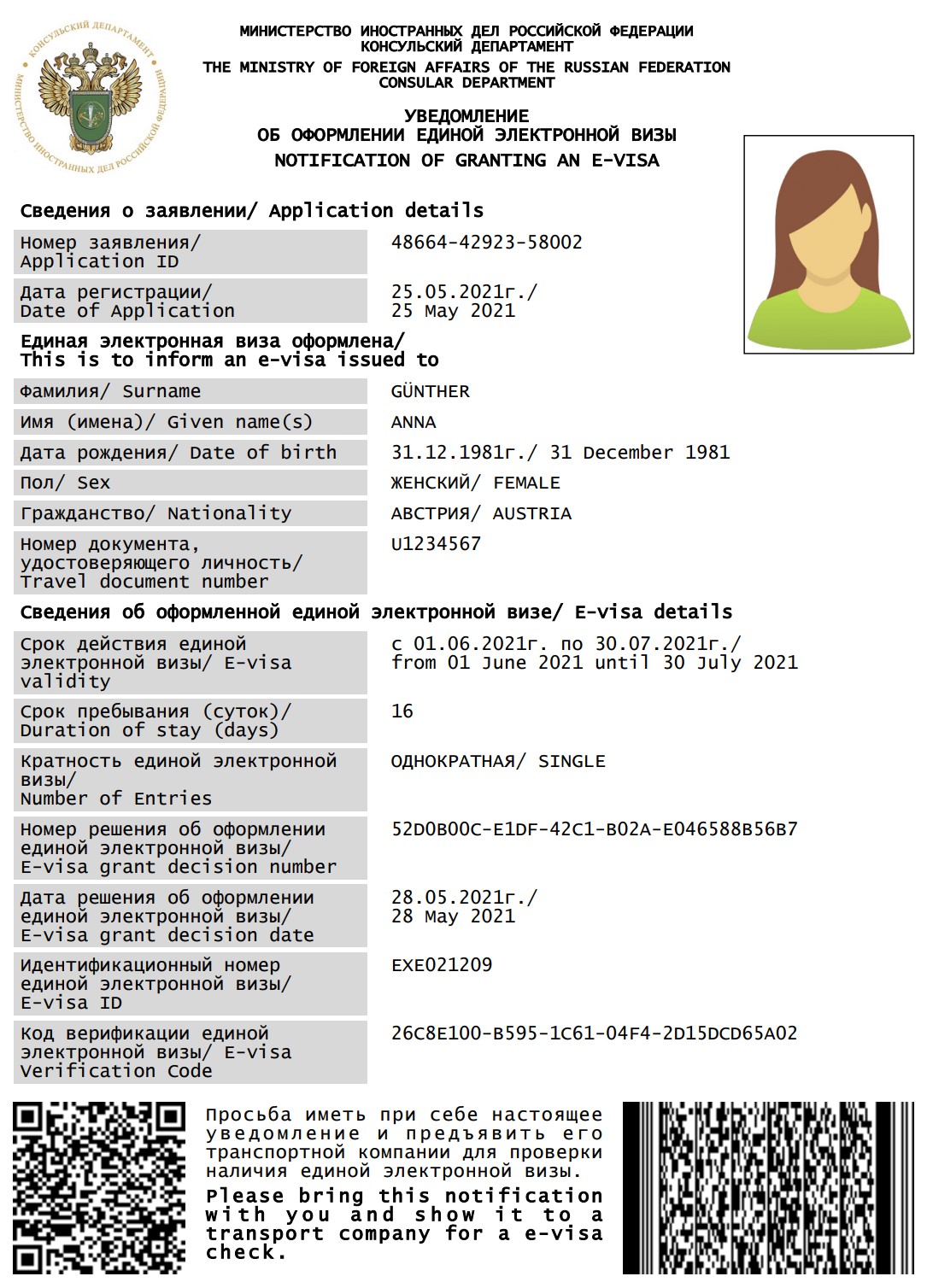
While contacting the transport company, a foreign national should show to company representatives a printed notification of granting an e-visa (see fig.1) or provide data contained therein in any other visual form, for example on the screen of an electronic device.
Notification of granting an e–visa contains the following data:
Notification of granting an e-visa also contains QR and PDF417 codes. Each code has a link to the website of the Russian Ministry of Foreign Affairs for checking an e-visa status at evisacheck.kdmid.ru.
The website of the Ministry of Foreign Affairs of Russia evisacheck.kdmid.ru allows to check the status of an e-visa for foreign nationals who have provided the e-visa granting notification or the data contained therein to the representatives of a transport company.
Our website currently supports the following web browsers: Mozilla Firefox, Google Chrome, Internet Explorer (Windows)10 or later versions. Before visiting our website please make sure JavaScript is activated in your web browser.
If a foreign national provides a printed e-visa granting notification (see Fig.1), it is recommended to go to the website and read any of the bar codes contained in the notification of granting an e-visa. The boxes "Application ID" and "Verification Code" for checking the status of an e-visa will be filled in automatically (see Fig.2).
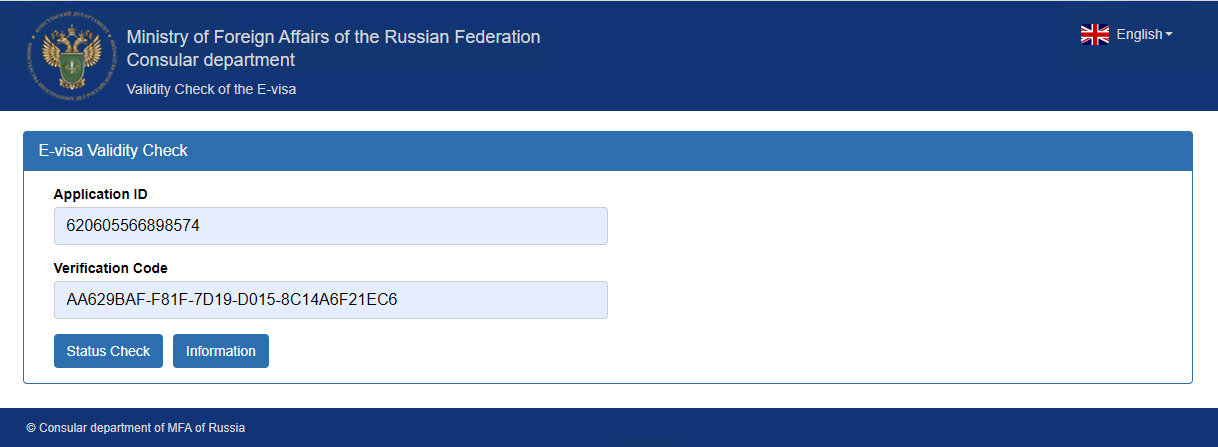
In case there are no bar codes or their reading is impossible, go directly to evisacheck.kdmid.ru website in order to check the status of an e-visa.
On the newly opened page (see Fig.2) fill in the boxes "Application ID" and "Verification Code" by entering, respectively, the e-visa application ID and the e-visa verification code from the e-visa grant notification submitted by a foreign national.
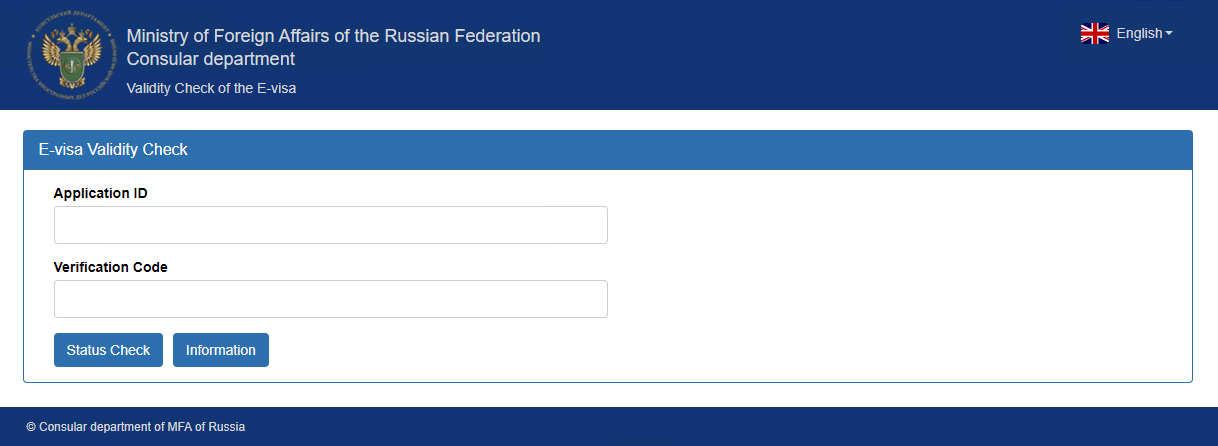
To launch the e-visa status check process, press "Status Check" button.
If a foreign national has been granted a valid electronic visa, the result of the check will look as follows (see Fig.4):
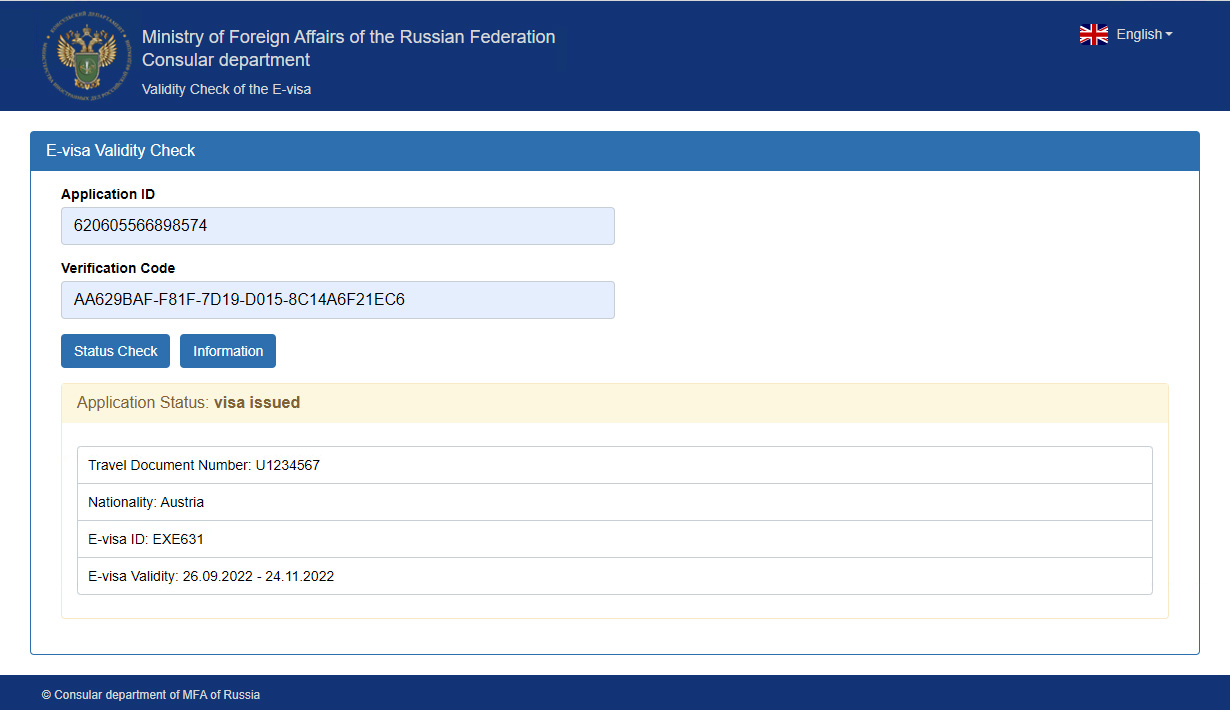
The message "Application Status: visa issued" will appear below the "Status Check" button. Below this line the following information will appear:
A representative of transport company should verify the above information against the data in the e-visa grant notification submitted by a foreign national and against the travel document with which an individual is going to enter Russian Federation.
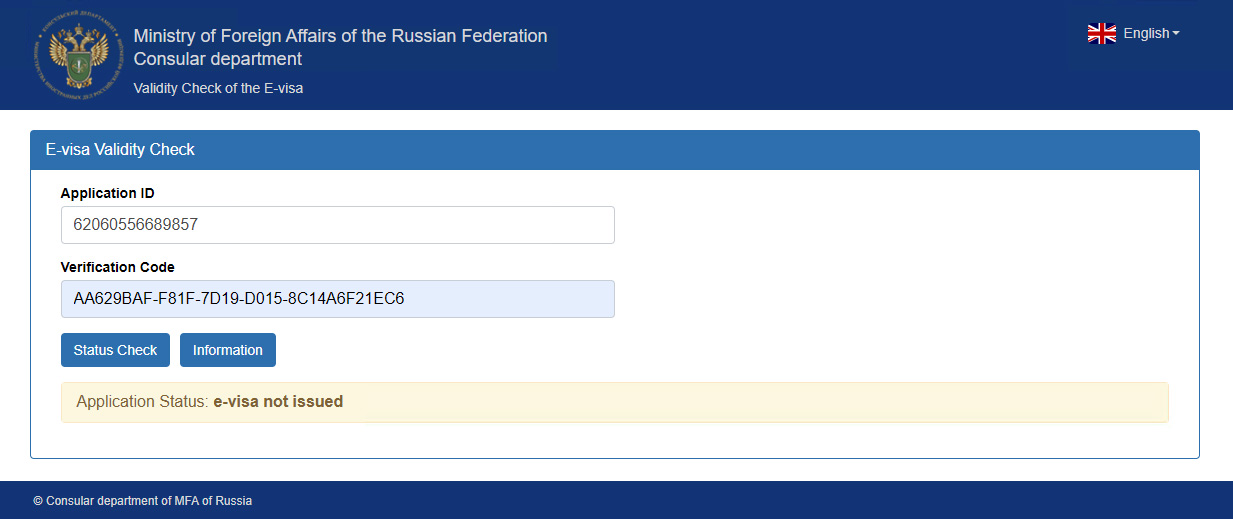
The message "Application status: e-visa not issued" will appear below the "Status Check" button.
A representative of transport company should verify the above information against the data in the e-visa grant notification submitted by a foreign national and against the travel document with which an individual is going to enter Russian Federation.